
Attendance & Dosage Reporting
Tracking attendance for both in-person and live-online sessions should happen via Saga Connect or using the Mobile Attendance app.
The Dashboard Overview provides a snapshot of Enrollment, Attendance and Dosage data in the top widget.
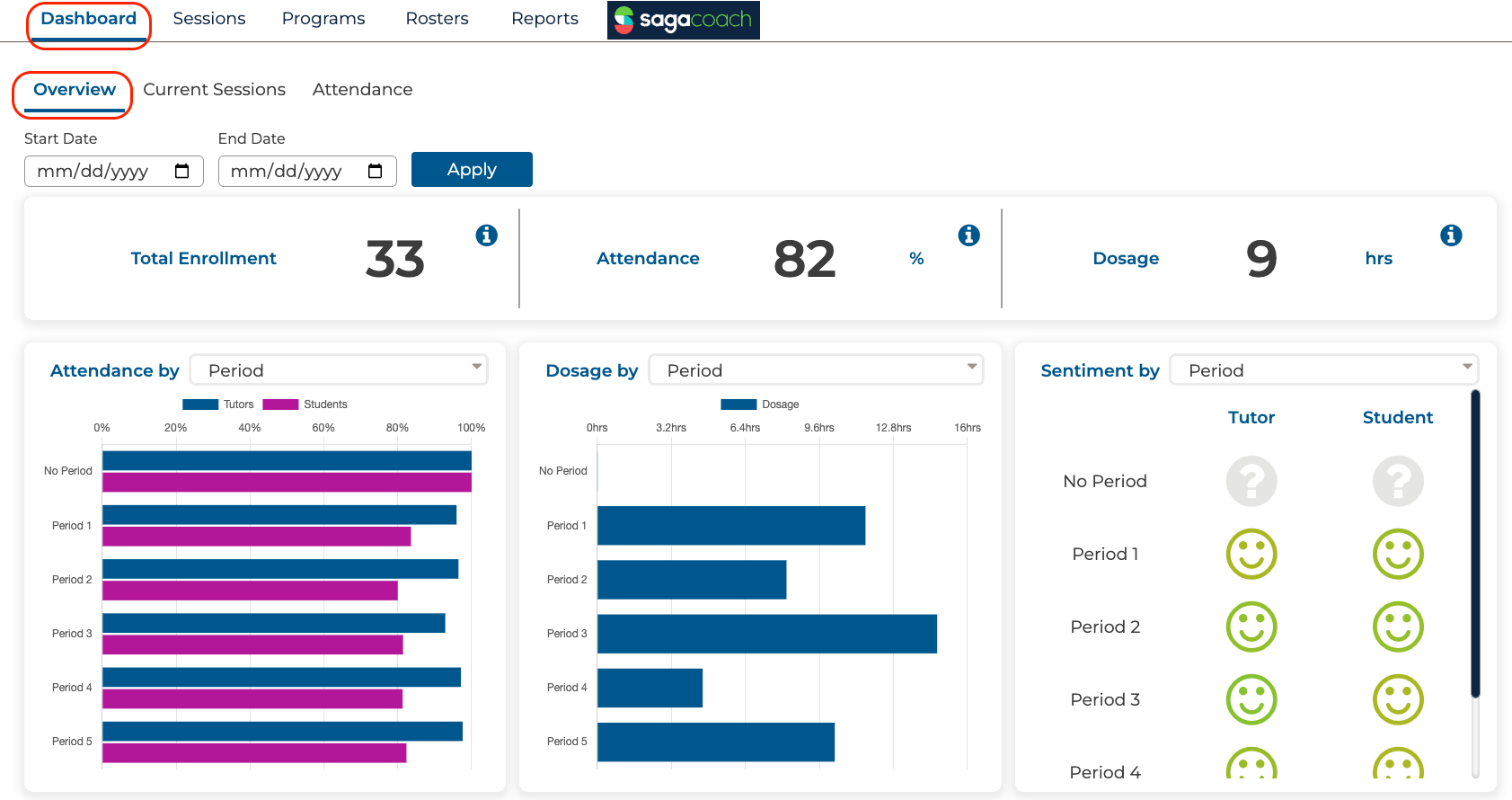
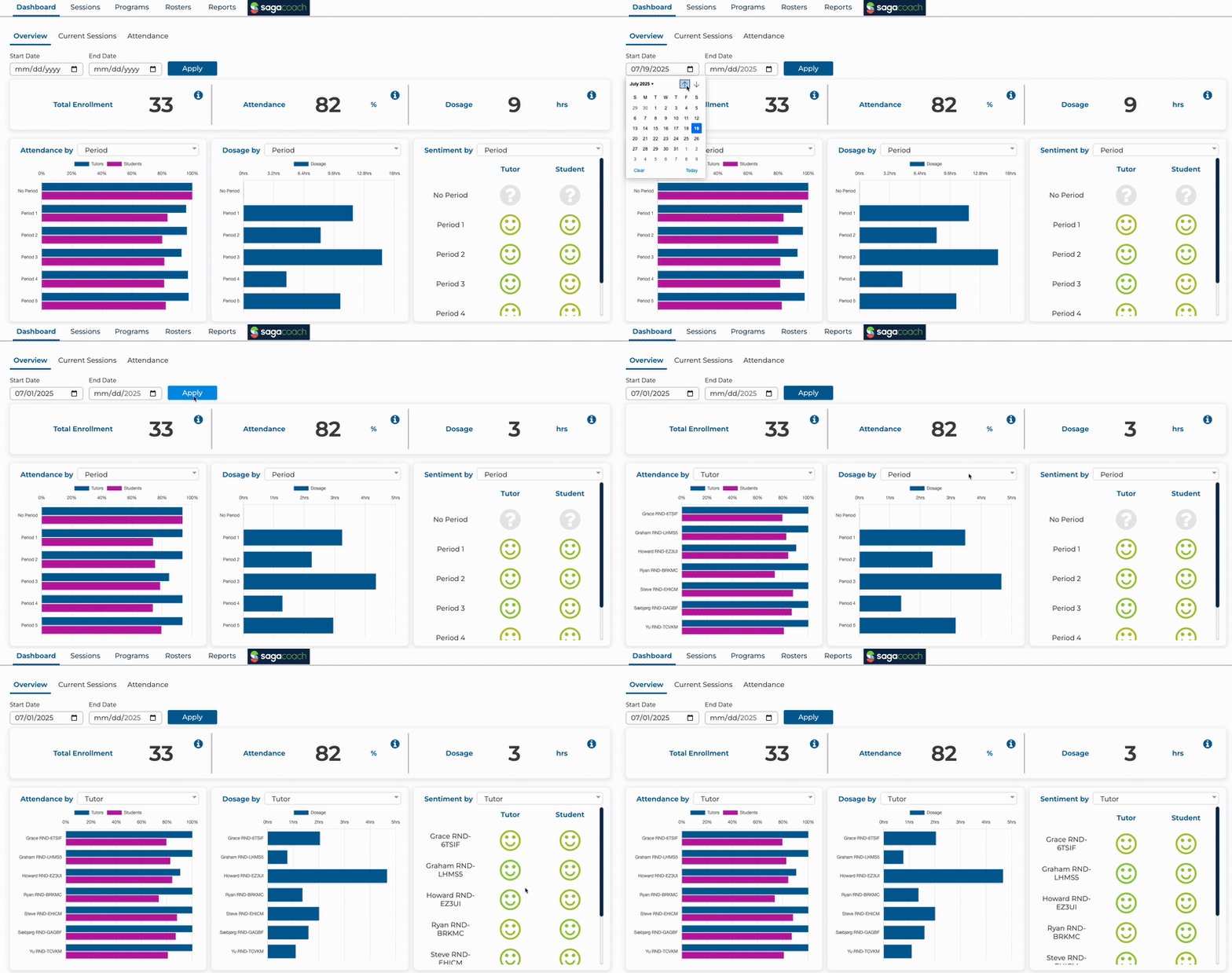
Use the date selector to filter data for specific dates. Drop-down menus allow data filtering by both period and tutor for Attendance, Dosage and Sentiment in the lower widgets.
In addition to the Dashboard Overview, a more detailed report of attendance can be found under the Reports tab.
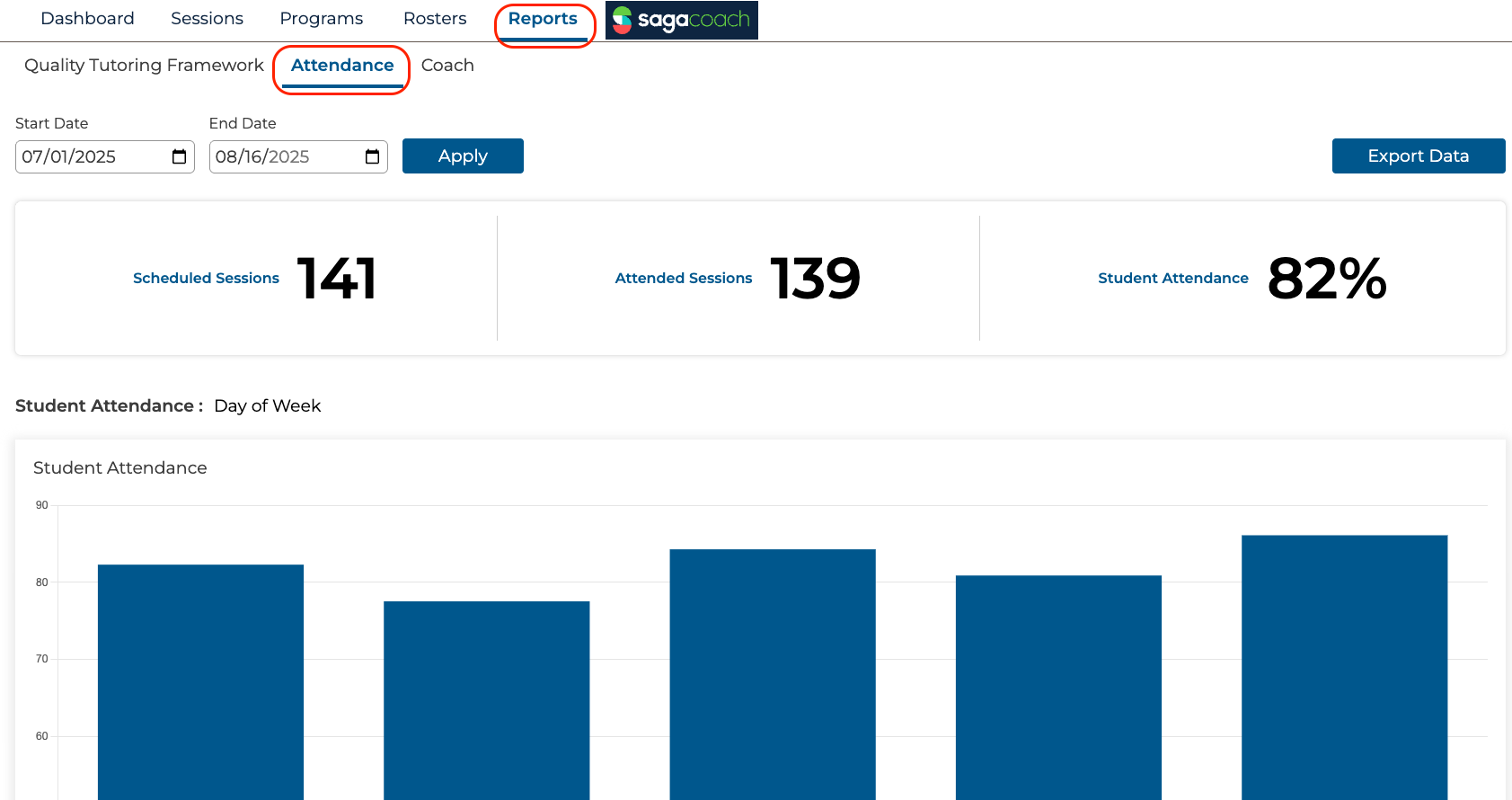
- The date selector automatically filters the data for the previous week. Use the date picker to change your date range being displayed.
- Attendance reports show results by day of the week.
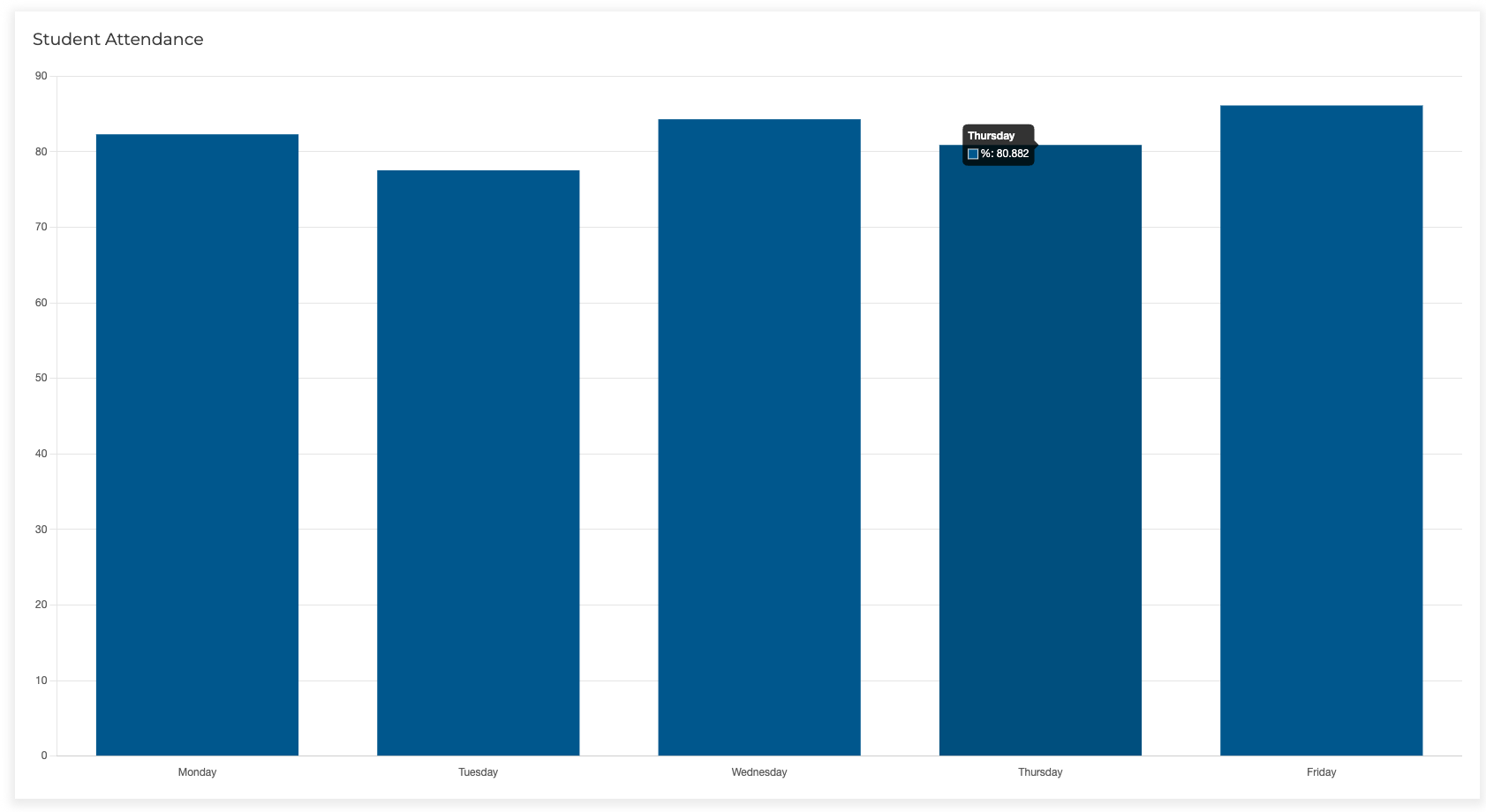
- Individual student attendance data is also shown on this page by scrolling down.
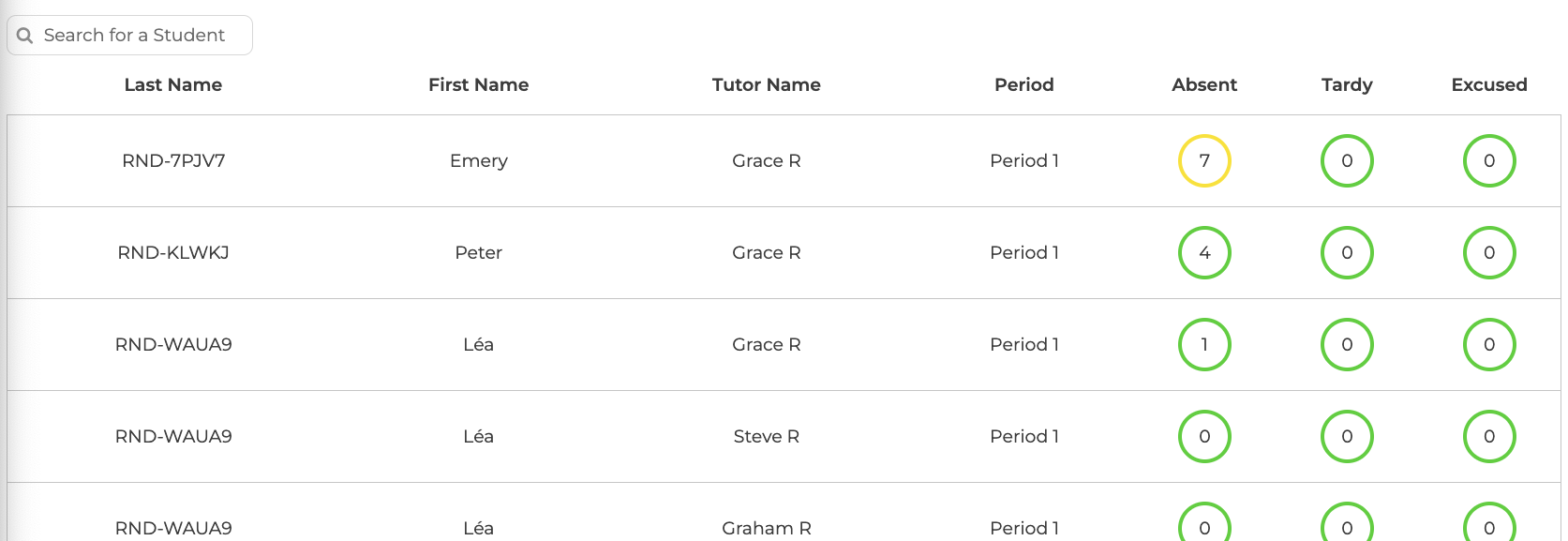
- The student search bar makes it easier to find specific students in a large program.
- The colored circles around the absences, tardies, and excused are green (0-6), yellow (7-10), red (more than 10) to help give a visual indication of any attendance issues that might be occurring.
- Reports for the date range selected can be downloaded using the Export Data button.
