How to Create a Session
A session can be created through the dashboard. Please follow these steps to create a session:
- Sign into your account
- Click the Sessions tab
- Click the Add New Session button in the upper left
-
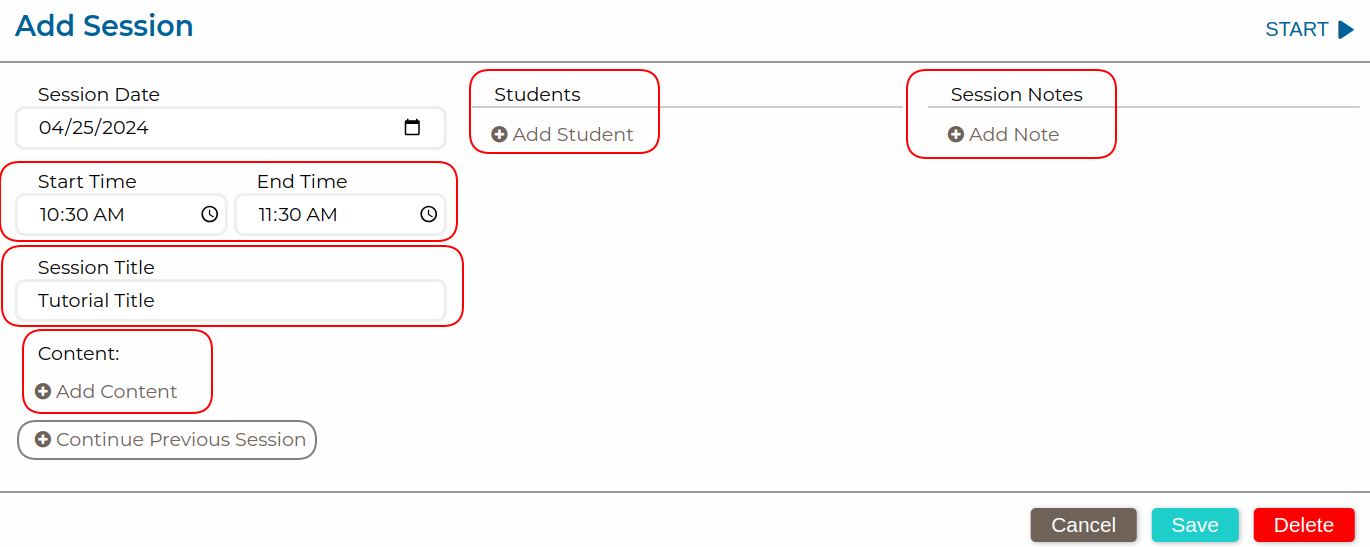
- In the session edit modal that appears, please enter the time and title for the session.
- Add students and content necessary for the session
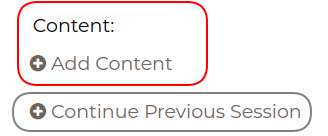
- Add the content needed for the session
- You can continue past sessions that have already occurred if you wish to pick up where you left off. You can do so by clicking the Continue Previous Session button.
-
- Add notes if necessary
- Click Save

Here is an image for each field mentioned