How to highlight text
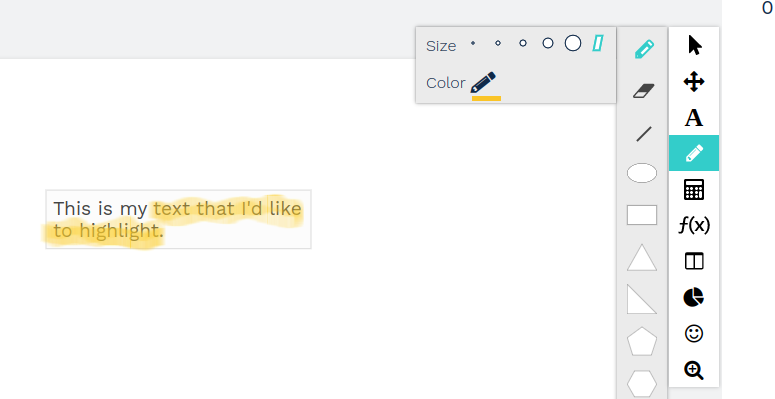
The highlighter in Saga Connect is under the pencil toolbar. Press the icon on the far right that is shaped like a rhomboid. You can change the color of the highlighter by selecting the Color pencil.
See the blue highlighted items below.