
How Tutors can Share Screens with Students
During a tutorial, tutors can share their screen with students. To do so, access the Share my Screen option from the hamburger menu in the top right in Saga Connect, as shown.
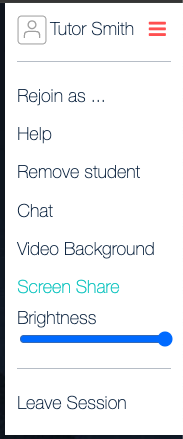
You can then select to share a tab, window, or the entire desktop. To stop sharing, you can either select Stop Sharing if using the Chrome browser, or select Share Screen again within Saga Connect to return to viewing the Saga Connect workspace.